Report Desk is a hypothetical portal whose API runs as a Forte Service. When a customer buys a one-time report pack, Forte records the Stripe-backed charge, and the portal records how many exports the customer can use. If the charge succeeds and the portal still asks the customer to buy a pack, follow the order through payment confirmation to the access saved by the Service.
Forte sends configured payment events to the Service, where your code decides what the customer gets. Keep the charge and the access record linked so you can find where the purchase stalled and fix it without charging again.
Follow one report purchase
Report Desk has a frontend, an API Service, and a database. Start in the frontend where the customer chooses how many reports to buy, since the pack and price at that step determine what the Service will grant after payment.
While the customer changes the pack quantity or address, use createPaymentPreview to show the total. A preview is read-only, so the customer can review changes without creating a payment each time.
Let the browser request a pack, then use the server to look up the allowed pack and price. A customer can change the request their browser sends, so the server sets the amount that counts as payment.
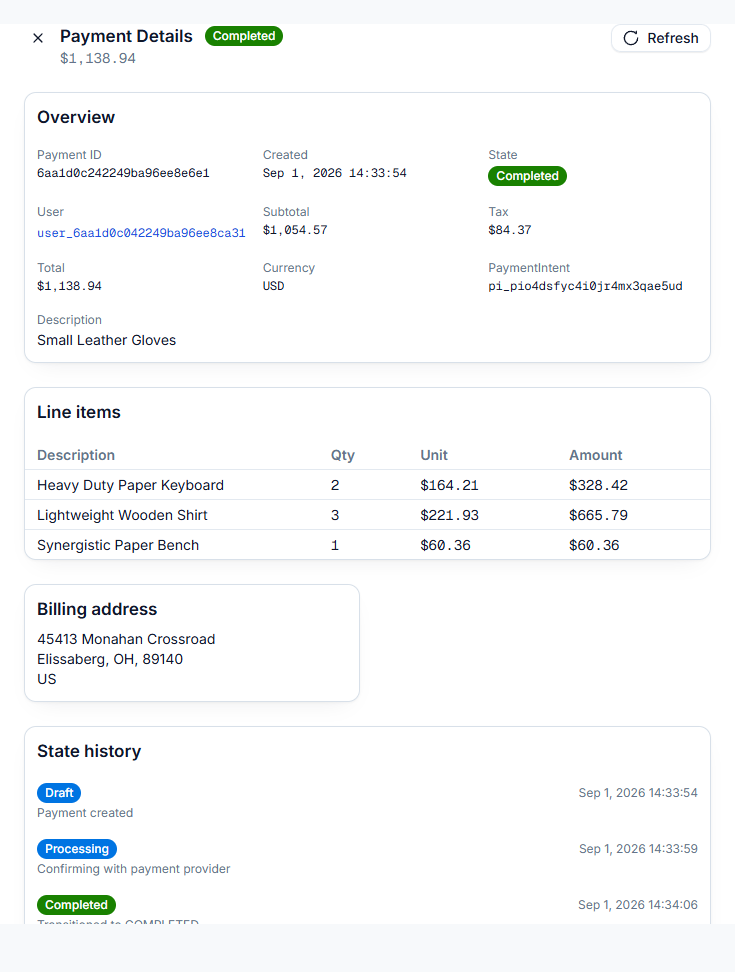
When the customer proceeds, call createPayment to save a Forte Payment and create the underlying Stripe PaymentIntent. Store the order ID and payment ID together so support can start with the order the customer sees and find the financial record. Forte creating payments guide
Protect the app's order route against a double click or network retry. Use stored order state or a stable key tied to the purchase. Two API instances should find the same business attempt instead of each making another order.
Confirm payment before granting the pack
Use the returned values, including the connected account, to complete the documented Stripe Elements confirmation. Show the result the server knows about, and tell the customer when the payment is still pending so they know the app is waiting for an update.
Configure a payment trigger to call the Service that grants the pack. The handler verifies the source and finds the workspace linked to the order. Before granting access, the handler checks that the payment completed and that the buyer, amount, and currency match the saved order. A real charge may still be for a different purchase.
If the customer closes the browser after confirming, the trigger still gives the Service a way to save access. Use the return page to display the stored result when the customer comes back.
For Report Desk, the stored grant needs the workspace, pack size, payment ID, current access, and reason for the last change. This record of what the customer may use is often called an entitlement. Explain it in those terms when you build support tools.
Save a repeat-safe change
If a delivery times out after the handler has saved access, Forte may send the notice again. A second attempt should leave the customer with the same pack they already received.
If your database supports transactions, save the unique purchase receipt and credit grant together. When two handlers try to save the same receipt, a unique key lets only one grant the pack. On a retry, use the existing receipt to confirm that the customer already has the credits.
Check X-Forte-Trusted on the Service route according to the payment guide. Forte strips inbound X-Forte-* headers at ingress and adds the trusted signal on its own calls. Keep the route behind that boundary. The documented payment-trigger policy is five total attempts, 60 seconds apart, with a 30-second timeout per request. Provide a repair path when those attempts run out. Forte payment triggers
Later notices may describe a state that has changed again. If a notice could undo a newer refund or cancellation, read current trusted billing state before applying the access rule. Keep the reason for the decision so an operator can understand it later.
Choose the API that matches the offer
Report Desk's one-time pack uses createPayment. A single monthly or yearly card plan uses createSubscription. A plan sold with a one-time setup fee uses createCheckout, which can include both in one first charge. Forte subscriptions, Forte Checkout
Keep one-time fees out of recurring plan lines because every line on a subscription renews. When you create a checkout that includes a plan and a one-time item, record what the payment grants. The completed-payment trigger gives you the subscription IDs, so use the stored purchase to find the line items.
Refunds also need an explicit decision. In Forte, refunding a subscription charge through the API or console cancels the subscription by default, even for a partial refund. Review keepSubscriptionActive when the intent is to keep billing. A Stripe-dashboard partial refund has different documented behavior, so test the route support will actually use. Forte subscription refunds
Find records that drift apart
Events let the Service update access as payments change. If a notice goes missing, schedule a job to compare the grants saved in the app with trusted payment or subscription records. Give each relevant grant a next check time and index that field so the job can find and read due records in small pages.
Record each repair with its source and reason. Give support a way to request the same check for one order. That lets you correct a paid-but-locked customer without hiding a manual database change.
On Forte, Actions beta can call a Service for scheduled checks. Finish each chunk inside the request, within 120 seconds, and save progress before returning. Services have no CPU between requests, so in-process timers and work left running after a response won't reliably do this job. Forte Actions
Rehearse the flow before live use
Use a Sandbox Project with synthetic customers and Stripe test payment methods. Run normal confirmation, a repeat event, a delayed handler, a refund, and removal of access. Check both the financial object and the paid API after each case.
Live payments require approved compliance registration. Review the current fees, supported payment methods, tax setup, and payout requirements in the guide. Your business is the merchant of record under the documented Forte model, so include those duties in the launch review. Forte payments
Log safe order, payment, and request IDs so support can follow a failure. Keep card data, secrets, and unnecessary personal details out. Start with the payment guide, then follow the wider SaaS launch walkthrough if you still need to deploy the app around this flow.