A team building an invoice portal gets password sign-in working in a test app. Customers can enter a password and see their invoices, so the team starts planning what it needs before launch. Who helps a customer who loses their phone? How quickly can the team revoke a stolen session? What should support check before changing an account's email address?
Include those paths when you compare building sign-in with using a provider. A managed system can take on work your team would otherwise have to build and maintain, provided its account recovery, session, and multi-factor sign-in behavior fit the portal.
Compare one customer portal
Call the hypothetical portal Ledger Room. Its customers need to sign in and reset passwords, and staff need a way to remove access. Customers can also turn on multi-factor authentication, or MFA, which asks for another proof of identity after the first sign-in step. If the portal asks for a code from an authenticator app or a passkey as that second step, it needs to wait until the check succeeds before granting full access.
Ledger Room's engineers can build those flows with suitable libraries and services or use a provider such as Forte. In either case, the sign-in system tells the app who's making the request, and the app checks whether that person belongs to the company that owns the invoice. Estimate that access work separately because the engineers need to do it in both setups.
Write down the account paths before estimating effort
Follow a new account past its first sign-in. A customer might verify an email address, reset a password, or add another factor. A company admin may later remove them from the account.
For each step, write down what the customer sees when it works and how the app responds when it fails. For example, check what a customer can do if the reset email never arrives, how the app limits repeated guesses, and what it shows a customer whose access has ended.
Use the account paths to compare the work your team would do in each setup.
| Job | If your team builds it | If a provider handles it |
|---|---|---|
| Credentials | Choose and maintain safe storage and checks | Review supported methods and policies |
| Sessions | Issue, store, renew, and revoke them | Test the provider's exact lifecycle |
| Recovery | Design and protect each recovery route | Check fit and define support rules |
| MFA | Build enrollment, challenge, and recovery | Integrate the supported states and factors |
| Messages | Arrange delivery and handle failures | Complete setup and check delivery limits |
| App access | Enforce company and record rules | Enforce the same app rules |
Estimate initial setup and ongoing work separately. If the team builds sign-in to meet a specific need, budget for updates, abuse, incidents, and staff changes. If it uses a provider, include connecting the provider to the app, choosing settings, helping customers, reviewing changes in cost, and planning a way to move accounts later.
Test sessions through a real release
A session lets a customer stay signed in across requests. Ledger Room should know where session state lives and how the app behaves after a release, a scale change, logout, or access removal.
Sign in with a test account, deploy a safe change, and open an invoice again. Then sign out and use the documented flow to try the old session. Use the provider's supported settings to check when a session expires and when a revoked session stops working.
For MFA, try opening an invoice after the first step and confirm that the app denies the request until the second check succeeds. Test a successful challenge, a failed one, and the approved recovery process.
Check the app's server response as well as the sign-in API and what the page shows. If the screen says “signed out,” try requesting the invoice directly with the old session and check that the server denies it.
Give recovery the same care as sign-in
A password reset or an email change through support can give someone access to an account. Before support handles its first request, decide who can ask for each change and what evidence they need to provide. Use the provider's rules to check which changes require a recent sign-in or MFA and what happens to old sessions afterward.
Test repeated requests, expired links, and an identifier that is already attached to another account. Keep the error messages and logs free of passwords and reset tokens. Review how much they reveal about whether an account exists.
If a provider handles recovery differently from what Ledger Room needs, record the specific requirement. The team can use it to decide whether to choose another provider or keep that step in the app.
Include the cost of moving existing customers
For an existing app, list the state tied to the current sign-in system. It may include user IDs, password hashes, Google bindings, sessions, MFA methods, recovery codes, and audit records. Check which items can move and which need a new customer action.
Tell customers what they will need to do once you've checked the limits. Some may have to verify an address again, reset a password, or enroll a factor. If the move gives a customer a new user ID, check that their company membership still points to the right invoices.
If you're moving hosting too, keep the current sign-in while you check that the app works on the new host where possible. Then plan the sign-in move with a test group, customer messages, and steps to recover if the new IDs map to the wrong accounts. Forte migration guide
Evaluate Forte's documented flow
Forte supports Google OAuth, one-time codes sent by email or SMS, password sign-in, and MFA. For a live project, get account compliance registration approved before you use email, phone, or password sign-in. Verify a sending domain for email and complete SMS registration for phone sign-in. You can use Google OAuth without those approvals. Forte authentication docs
If you need to test email or password sign-in while you wait for approval, choose the Forte email sender in the Sandbox project's authentication settings. Check its sending limits and test behavior before you plan to switch to your own domain. Forte Sandbox email sender
Account compliance registration is part of setting up the product. For a patient-data workload, review BAA scope and any healthcare requirements separately.
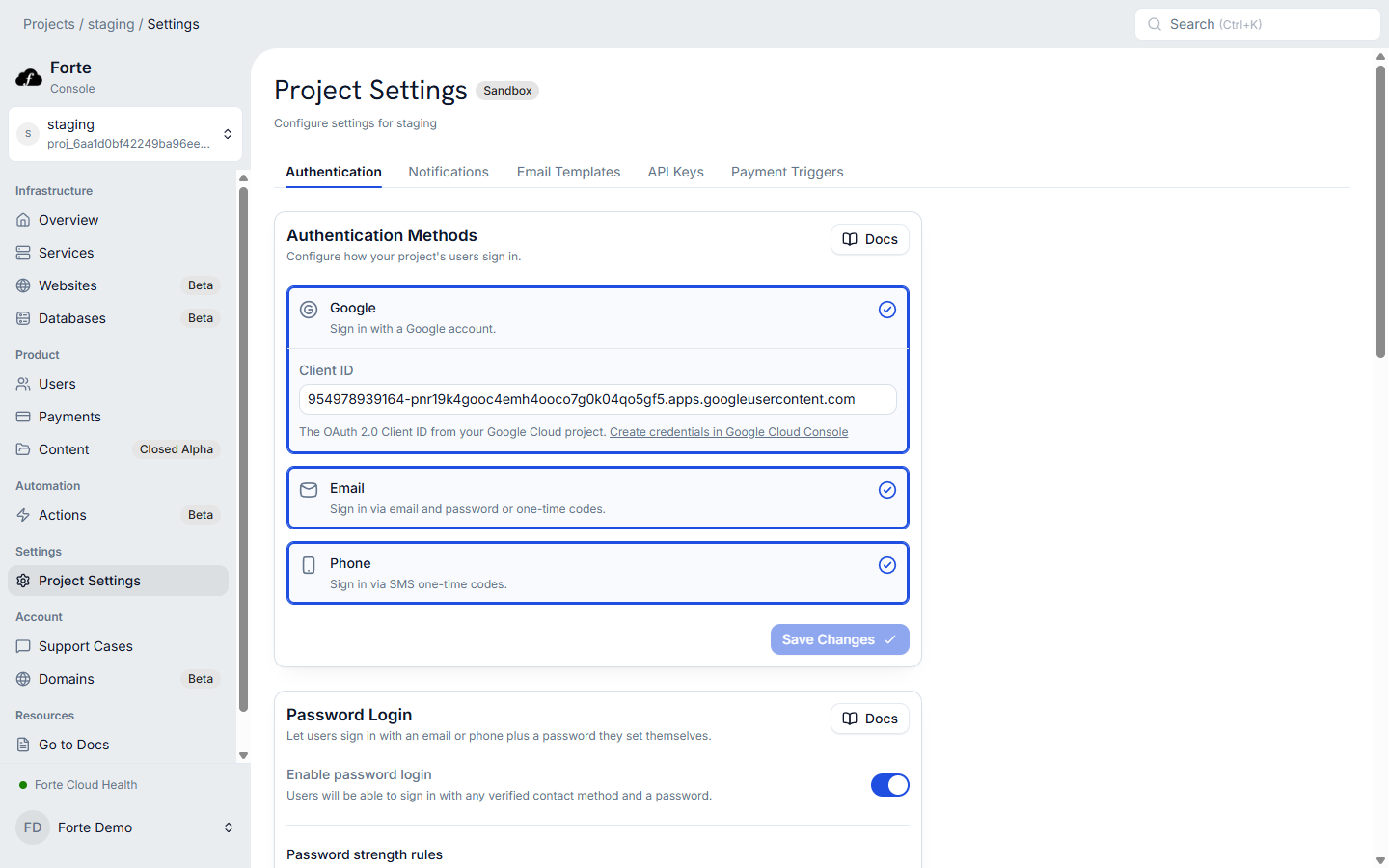
On protected Forte Service routes, the gateway checks the session and supplies the user ID. Your API uses that ID to check which company and invoices the person can access. Until a user completes MFA, their pending session can only reach the endpoints for finishing MFA and signing out. Access to the deployed app starts after the challenge succeeds. Forte MFA guide
Forte Websites, including server-rendered sites, bypass the Service gateway and need to check access to any data they serve. Test that each public route denies requests from users who lack the required access.
Compare the required account paths with what Forte supports, including how users recover accounts and what the team can export when it leaves. Use a fake account to test those paths. If a required enterprise sign-in flow remains unclear, confirm it with support before choosing. Forte authentication model