A deployment is not the moment a build command exits successfully. Customer traffic should move only after the source has become a versioned artifact, the runtime has started it with the intended configuration, and the application has passed a health check.
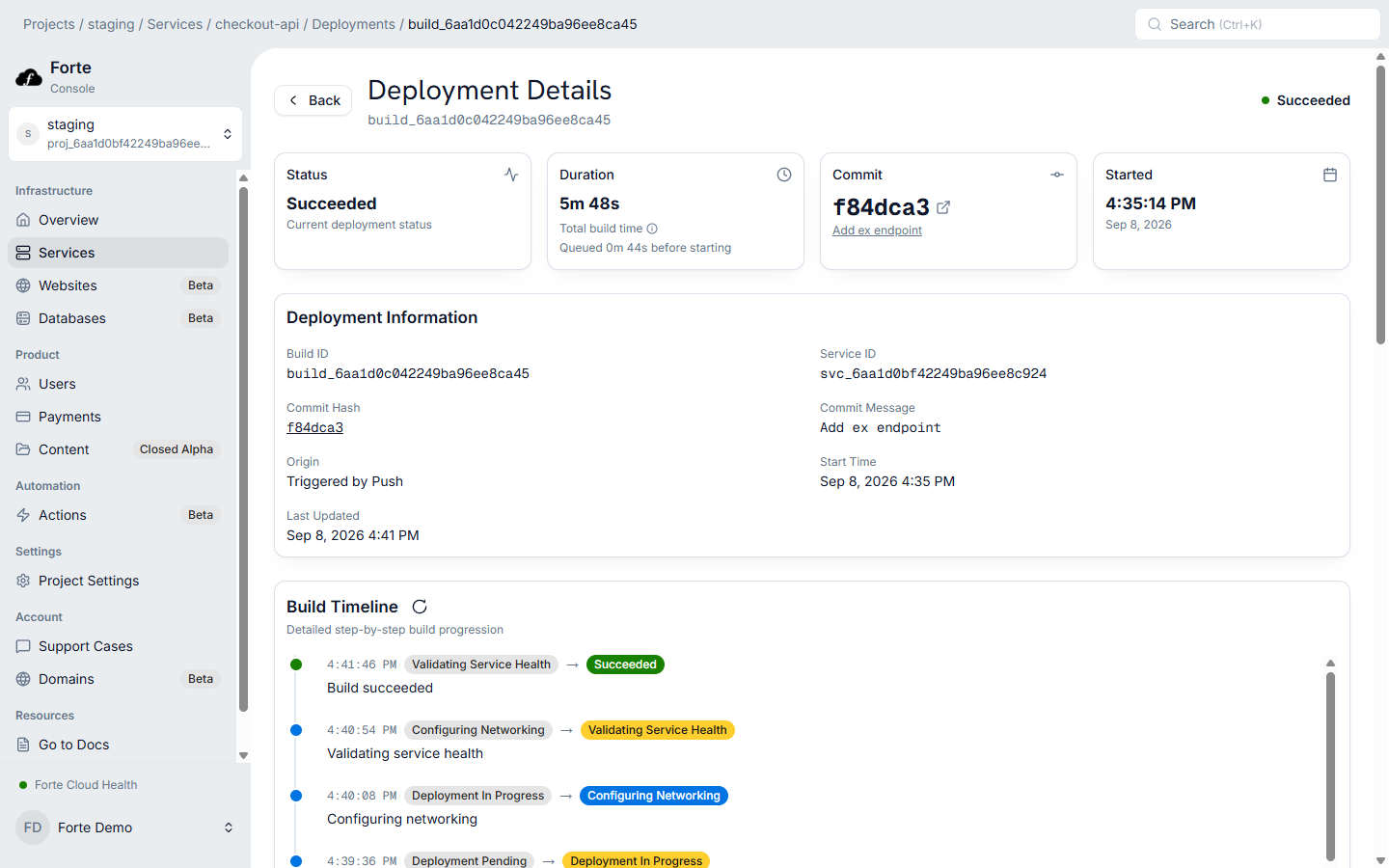
On Forte, you connect a repository and branch, configure the Service, and push the next change. Forte runs the Build & Deploy workflow: building the artifact, starting the candidate, checking health, and recording the result. You get a repeatable release process and a place to diagnose each stage without maintaining those steps as your own deployment system.
1. A source event selects the revision
A Service tracks a GitHub repository and branch. A push to that branch starts a deployment by default; a team can also use the configured manual workflow. Record the exact commit so an operator can connect source, build logs, artifact, and running release.
Repository access and status reporting are separate concerns. Forte's GitHub deployment status is best effort: a reporting failure does not stop the build itself.
2. Forte resolves the build configuration
If the repository contains a Dockerfile, Forte uses it. Otherwise, a Smart build detects the framework and produces a container configuration. Later Standard builds reuse the detected configuration.
Ordinary environment variables are available during the build as build arguments. Secrets are runtime-only. If a structural change affects the runtime version, port, base image, dependencies, or project layout, reset the relevant detected configuration before the next build.
3. The build produces a versioned artifact
The build runs in a Linux environment and produces a container image. Forte retains a versioned deployment artifact for rollback and shows the build output on the deployment record. Builds have a documented 30-minute limit.
A successful image build proves that the source can be packaged. It does not prove the process starts, listens on the configured port, reaches its dependencies, or serves a valid response.
4. The candidate starts with runtime configuration
Forte deploys the image with the Service's runtime variables, secrets, capacity, networking, and health-check configuration. The application must listen on the expected port and expose an HTTP GET health route that returns a 2xx response.
A useful health endpoint checks what the application needs to accept traffic without turning every optional downstream system into a deployment blocker. Keep it free of side effects and authentication requirements.
5. Health decides whether traffic can move
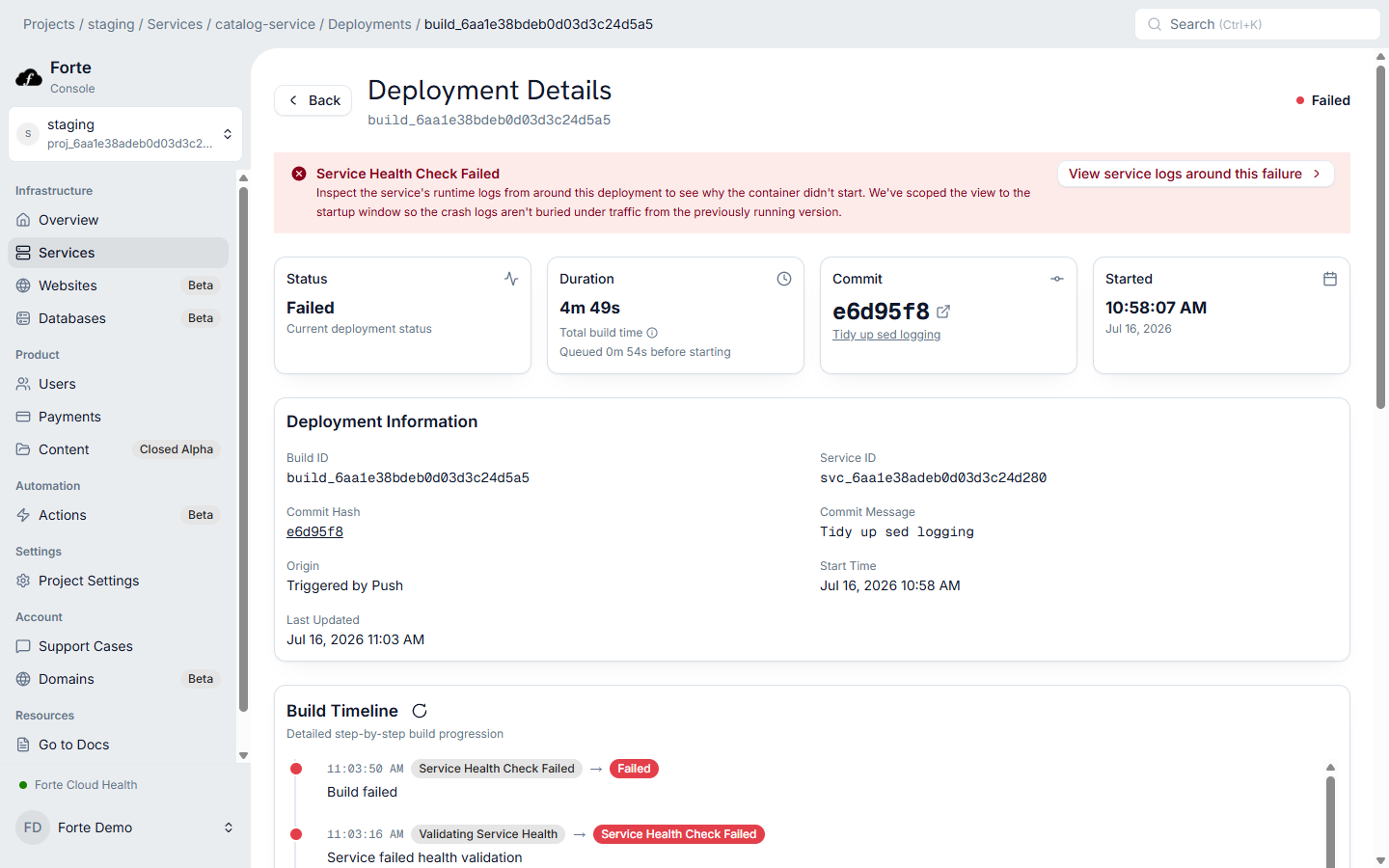
The candidate must pass its deployment health check before Forte treats it as healthy. If it cannot start or the health response fails, the deployment record identifies the failed stage and directs the operator to its logs.
When a prior healthy revision exists and the update is eligible, Forte's rollout can return the Service to that revision. The first deployment has no prior revision. Container rollback also does not reverse a destructive database schema change or an external side effect.
6. Requests create operating evidence
After activation, Forte records request method, path, status, and latency for traffic proxied to the Service. Include X-Request-Id in application logs to associate output accurately under concurrency. CPU, memory, instance use, status codes, and latency metrics provide the next layer of evidence.
Diagnose by stage
Imagine two pushes. The first builds and passes health checks: its commit and workflow record explain the release. The second builds successfully but cannot answer the configured health route: its failed stage tells you to investigate startup, port, or readiness. Forte supplies that distinction in the release workflow, so a failed build and a failed runtime do not become the same vague deployment problem.
| Symptom | First place to look |
|---|---|
| Dependency install or compile failure | Build log for the selected commit |
| Process exits on startup | Deployment/application startup logs |
| Health check times out | Port, route, startup time, dependency readiness |
| New release is healthy but requests fail | Request table and correlated logs |
| Old code cannot read the new schema | Database migration compatibility and rollback plan |
| GitHub shows stale status | Forte deployment record; status reporting is best effort |
This sequence is why “push to deploy” can stay simple for an application team without making deployment a black box. Each stage has an artifact or signal an operator can inspect.
Open the deployment guide for the console and CLI flow. Use production request debugging once the Service is receiving traffic.