Your team is building a customer portal with an API hosted as a Forte Service. The API needs to save projects and tasks for each company that uses the portal. When the first customer creates a project and returns the next day, they should find it even if you redeployed the API overnight.
Managed Postgres can take some database upkeep off a small team's hands. On Forte, you create a Postgres database in a Project and connect the Service to it. Forte manages the connection credentials, and your API uses that connection to save and load records. Forte managed databases are Open Beta, so check the tier's limits, driver requirements, and restore options before choosing a production setup.
Start with the records your app needs
When a user opens a project in the portal, the API checks who signed in, finds their company, and restricts the Postgres query to tasks that belong to that company and project. The connection lets the API run the query. The app's access rules determine which records the user can read.
Design the schema and indexes around those queries. If the API filters tasks by company and project, use an index that supports that query. Test with enough records to see what happens as tasks accumulate.
Filter and paginate in the database so the API only loads the rows it needs for the current page. As a project grows to thousands of tasks, each response can still return a bounded number of records.
Connect the database using the settings your driver reads
Create the database, then connect the Service through Forte's database connection workflow. Match the connection-string format and variable names to what the app reads. If your app looks for POSTGRES_URL, map the connection string to that name.
Forte creates credentials for the connected Service and injects the runtime variables you chose. It does not display the generated password. Keep database access in server-side code. A browser should call your API rather than receive the database credential.
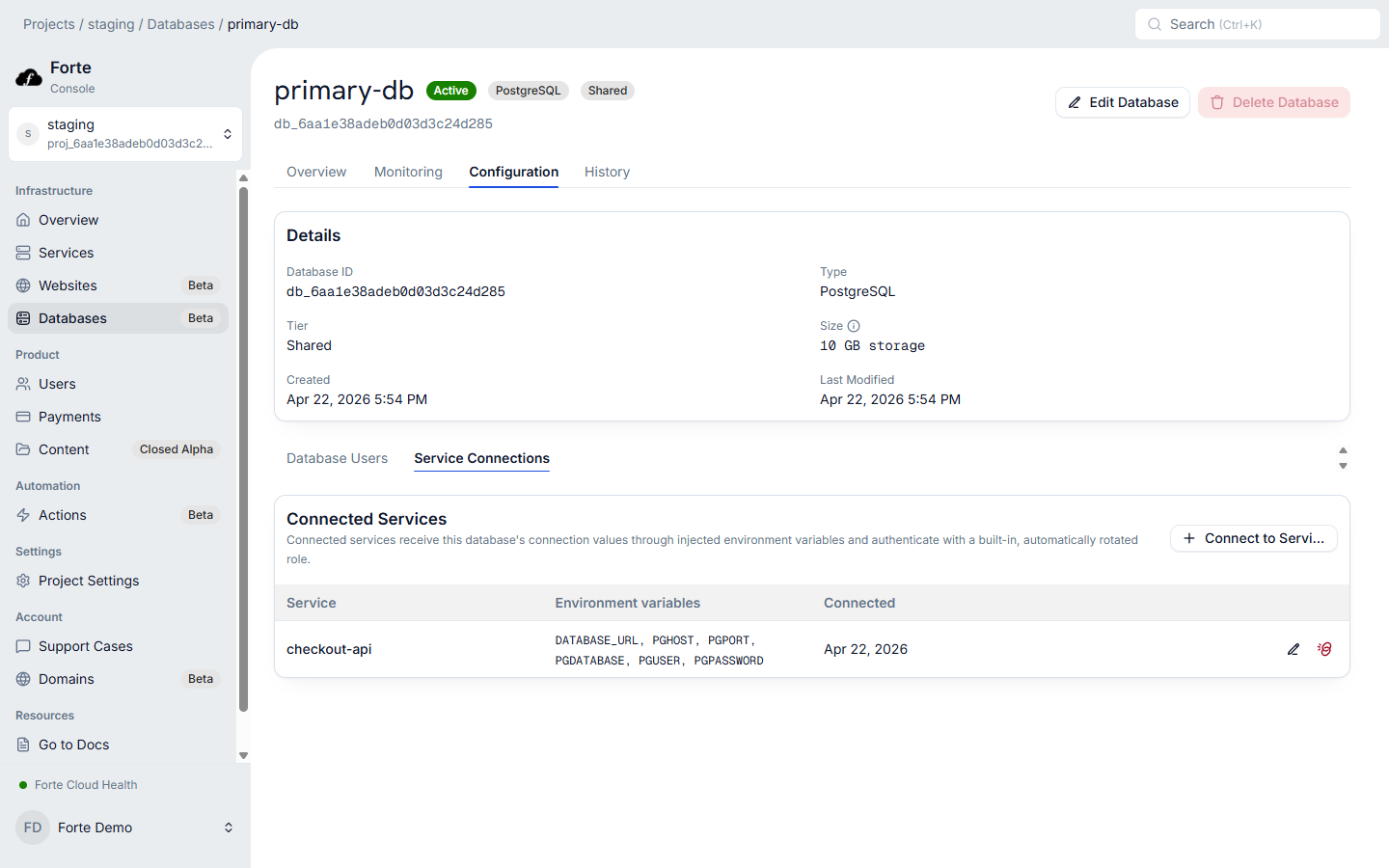
Read the connection information from the runtime environment. Avoid logging the full connection string when troubleshooting, because it can contain credentials. Log a safe error category and the step that failed instead.
After connecting the database, create a test project through the API and read it back. Redeploy the API and look up that same record again. If it survives the redeploy, you have checked that this path stores data beyond the life of the app container.
Choose the tier before choosing pool settings
A connection pool lets the app reuse connections and limit how many it opens. As the API scales, each instance may open its own pool, so a setting that fits on one instance can exceed the tier's limit when several are running. Work out the total demand for your busiest setup and compare it with the tier's limits. See database connections and scaling for a worked example.
Forte's shared Postgres tier uses transaction pooling. A connection is assigned for a transaction rather than reserved for an app's whole session. Some driver and ORM features depend on a persistent session, so check their compatibility instead of assuming the default settings will work.
Dedicated Postgres is in closed alpha and requires approved access. It offers pooled and direct connection paths. Use the path documented for the job. App queries can use the pooled path, while migrations or session-dependent operations may require the direct path. Shared Postgres does not offer that same direct connection. Database guide
After the connection test passes, run the app queries and migration commands you intend to use. If any of them depend on behavior the tier cannot support, resolve that before moving real records.
Decide what data loss your product can tolerate
Suppose a job deletes active projects this afternoon. Decide how far back your team needs to reach to find a clean copy, how much recent work can be lost, and how long customers can wait for the portal to return.
The answers shape the tier decision. On Forte's shared tier, daily backups are kept for seven days and restores require support. Those backups do not provide arbitrary recovery to any second between daily copies.
Dedicated Postgres has daily backups plus continuous archiving for point-in-time recovery within the chosen window. Retention can be set from one to 35 days. A restore creates a new database, and the app's existing connections stay on the source. The team must verify the recovered data and deliberately switch the app to it.
Choose the tier whose restore process fits those needs, then practice it with test data so the team knows how to request or run a restore and get the app working again.
Keep schema changes compatible with releases
Suppose the portal adds a task status field. A safe release plan might add the field first, allow old records to keep working, and move the app to the new behavior afterward. The exact steps depend on the app and migration tool.
Old and new API versions can run together during a rollout, and the team may need to bring the old version back if the release fails. Keep any field that version still reads until the team no longer needs to switch back to it.
A container rollback does not undo a data migration. For changes that delete or rewrite data, plan a restore separately and test the assumptions. Keep the migration code with the app so the team can see which change introduced it.
Look into slow requests before buying more capacity
When a page becomes slow, trace the request through the affected route. Check how much time the app spends waiting for a database connection, running the query, and calling other services. An unindexed task search and a full connection pool can slow the same page, but the timing tells you whether to look at the query plan or at how the app uses connections.
Use the information available for the tier, measure the query, and change one relevant setting at a time. Recheck the same customer action after the change so you know whether it helped.
Forte keeps database connections and Service hosting in the same Project. Your team designs the schema, checks which records customers can access, and plans how to recover them. Review the database guide and pricing, then try the portal's queries with test data in a Sandbox project before choosing a production setup.